Interview Pack
Writing interview questions the night before?
Drag and drop a position description (PD) and get a complete interview pack: screening questions, interview questions, a scoring matrix, a marking guide, and assessment tasks. All of it exportable. All of it in under a minute.
See it in action
Watch one position description become a complete interview pack.
What comes out
One PD in. A full interview pack out.
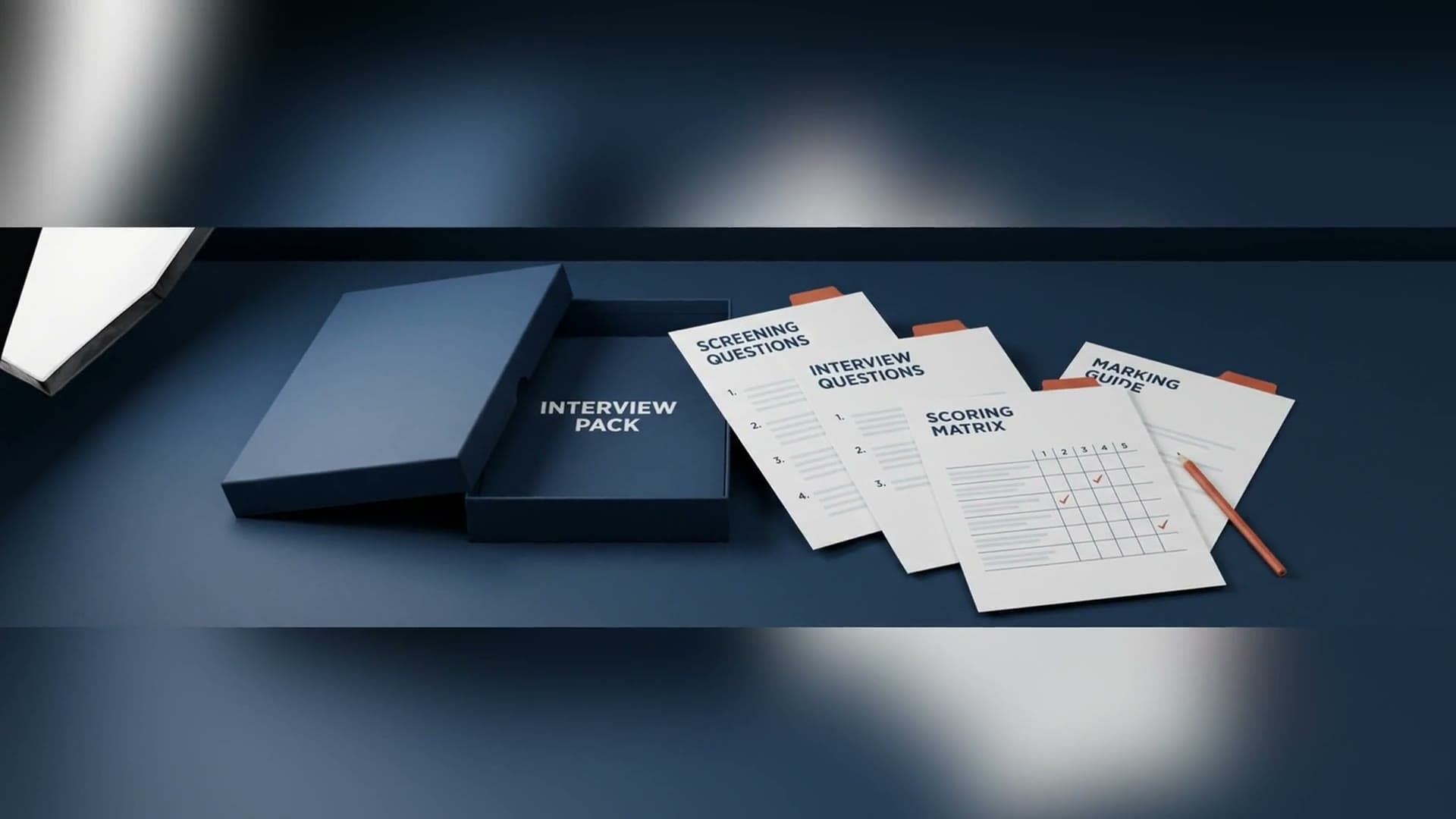
Screening questions, interview questions, a scoring matrix, a marking guide, and assessment tasks, ready in under a minute. Copy to clipboard or export to a Word doc.
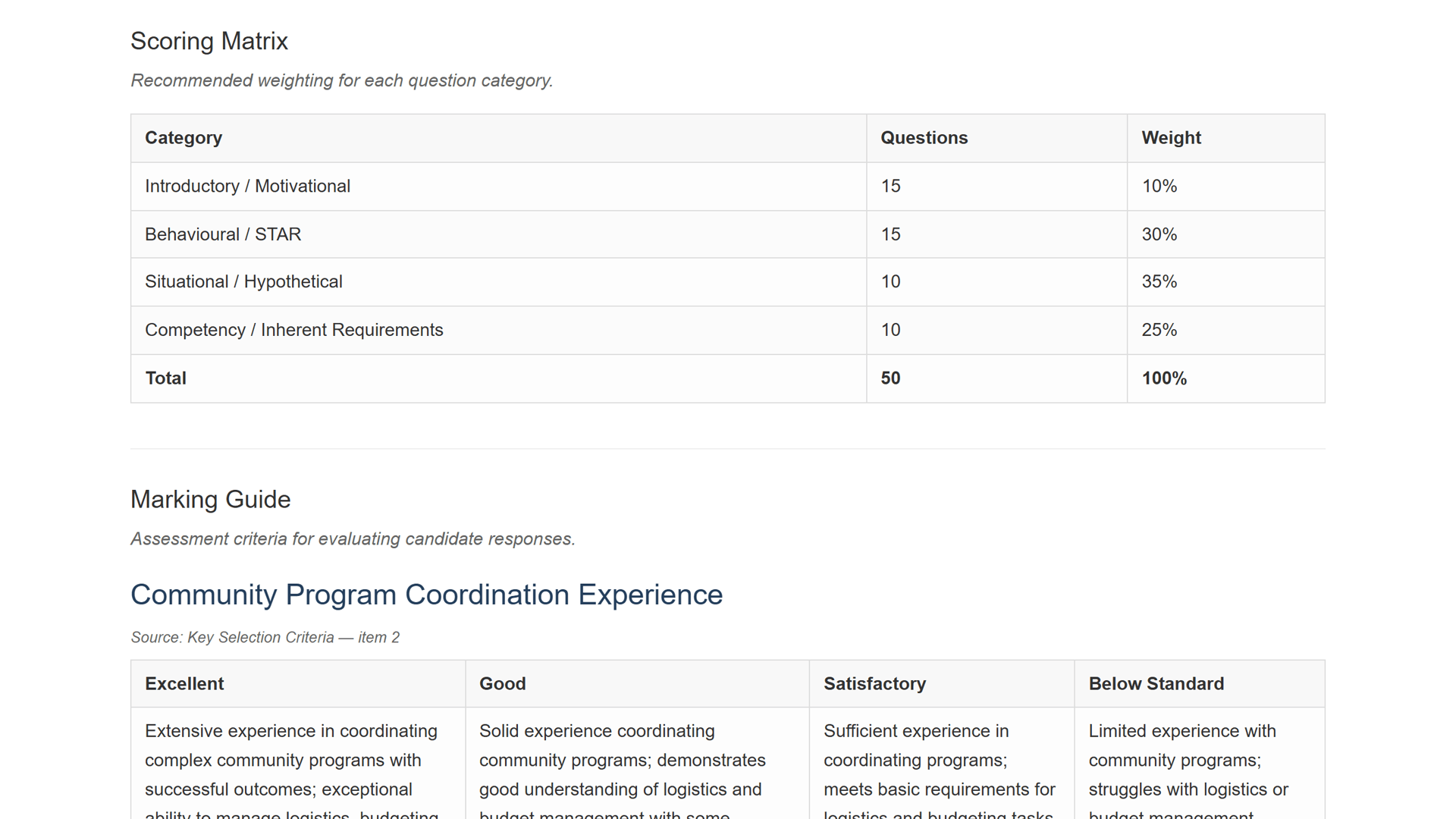
- Scoring matrix
- Questions and weighting
- Marking guide
Micro-stat
8-10 hrs
saved per recruitment activity, versus writing the pack by hand
Artefacts
- Screening questions
- Interview questions
- Scoring matrix
- Marking guide
- Assessment tasks
Hours back, every recruitment
easyPDs saves 8-10 hours per recruitment activity. The pack that normally eats an afternoon, or the night before interviews, arrives while your coffee is still hot.
No more blank page
You never start from nothing. The full pack is generated from the PD itself, so every question is grounded in the actual role, not a generic template.
You stay in control
Every question is yours to keep or cut. Trim the pack to fit your panel in the exported Word doc, then share it with the panel.
Defensible, consistent hiring
A standardised, scoring-matrix-backed selection process makes your hiring decisions defensible and reduces ad-hoc bias across panels.
Assessment tasks, matched to the role
An assessment task that takes 1-3 hours to write manually arrives as part of the full pack, in about a minute, matched to the role.
“our HR team are loving it”
Melanie Roberts
Organisational Transformation Officer, Ararat Rural City Council
How it works
In less than a few clicks, you have your output!
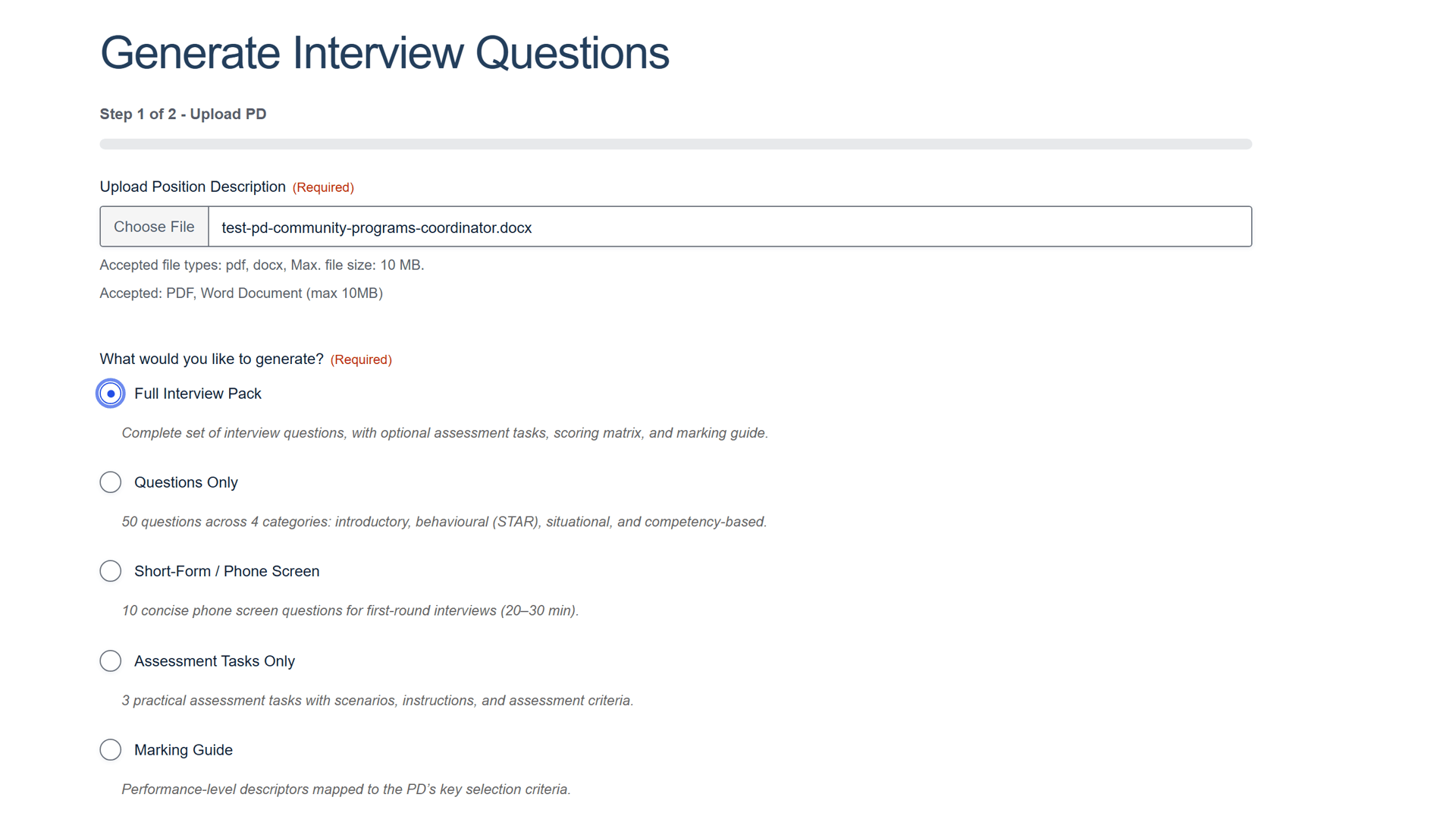
Drop in your position description
Drop a PDF or Word (.docx) position description onto the easyPDs window and choose Full Interview Pack. No template or formatting pass first.
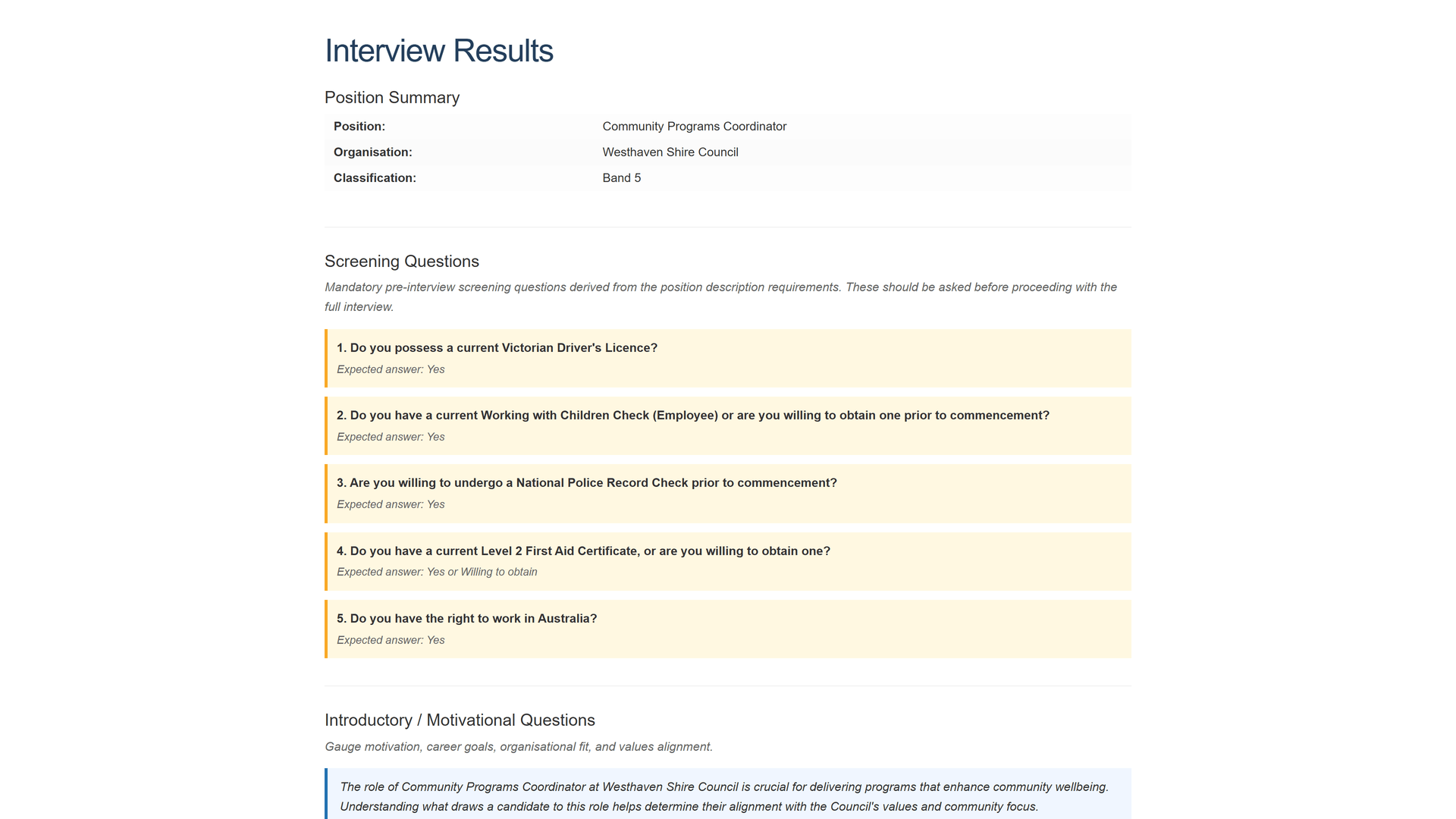
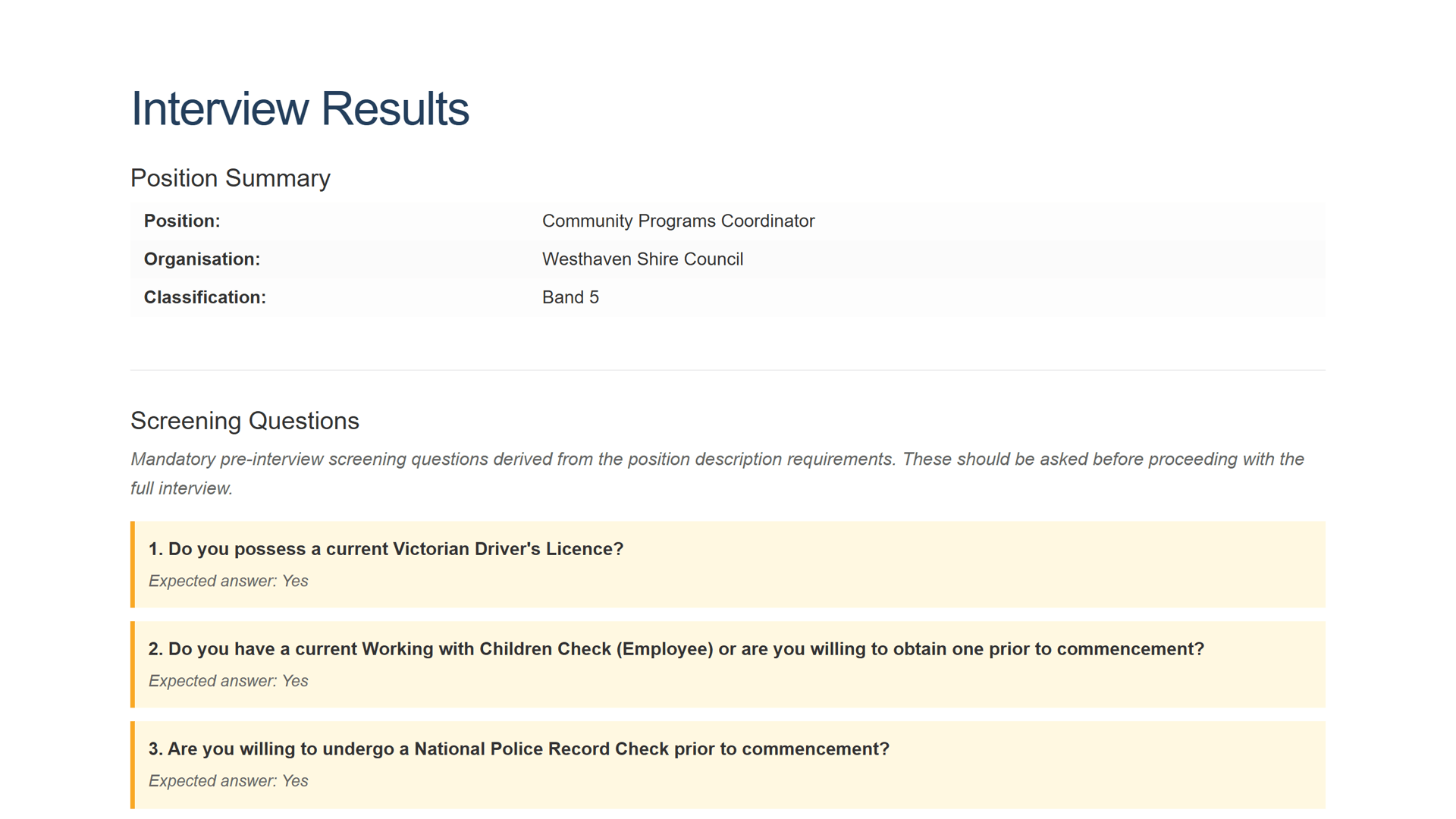
Your pack opens with screening
The full pack lands in under a minute, opening with a position summary and mandatory screening questions drawn straight from the role, each with its expected answer.
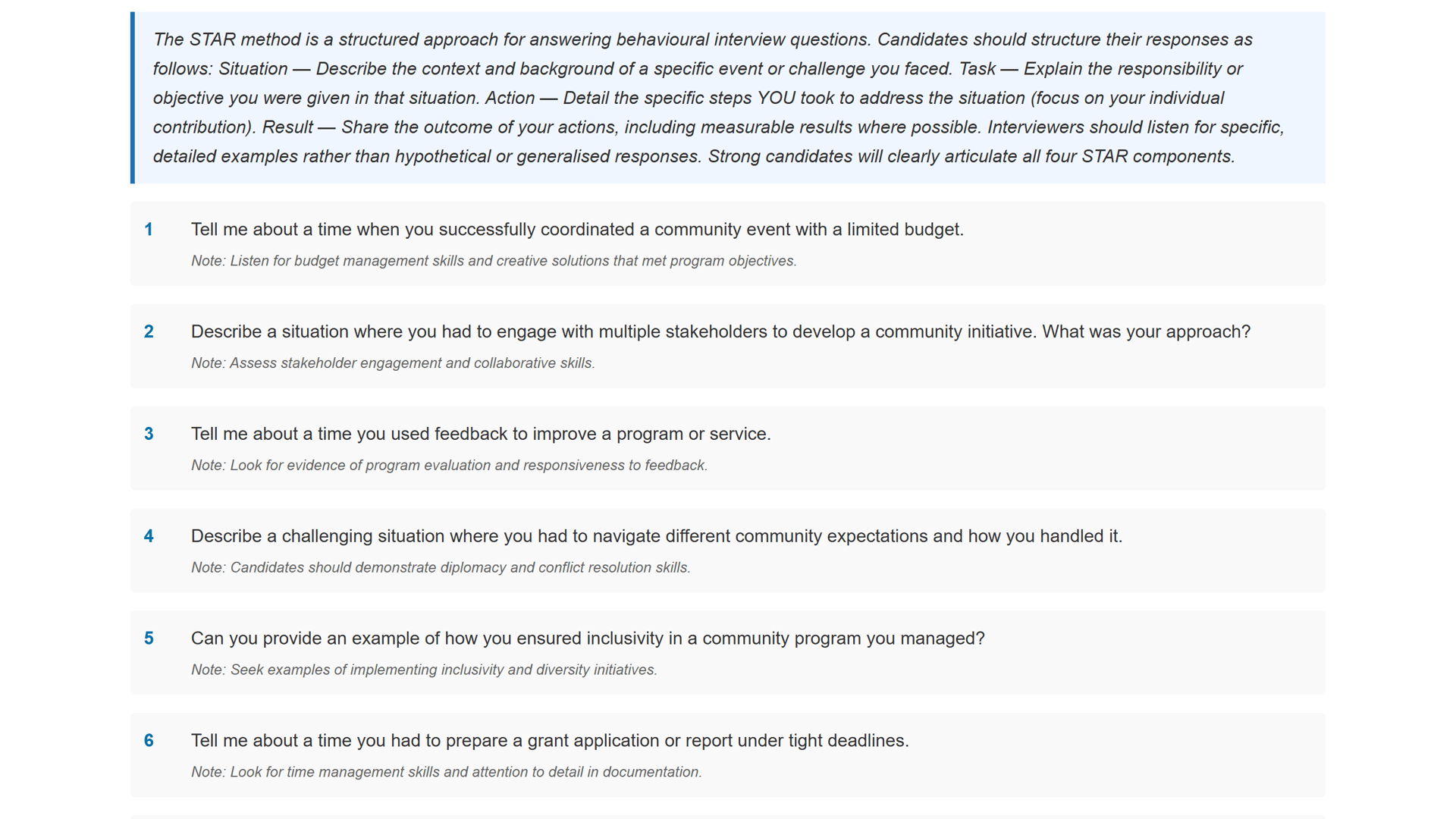
Interview questions, grounded in the role
Behavioural and STAR-style interview questions follow, each one grounded in the position description, with a STAR-method primer to guide the panel.
Assessment tasks for the role
Role-matched assessment tasks arrive as part of the pack, each with a scenario, instructions and assessment criteria drawn from the position description.
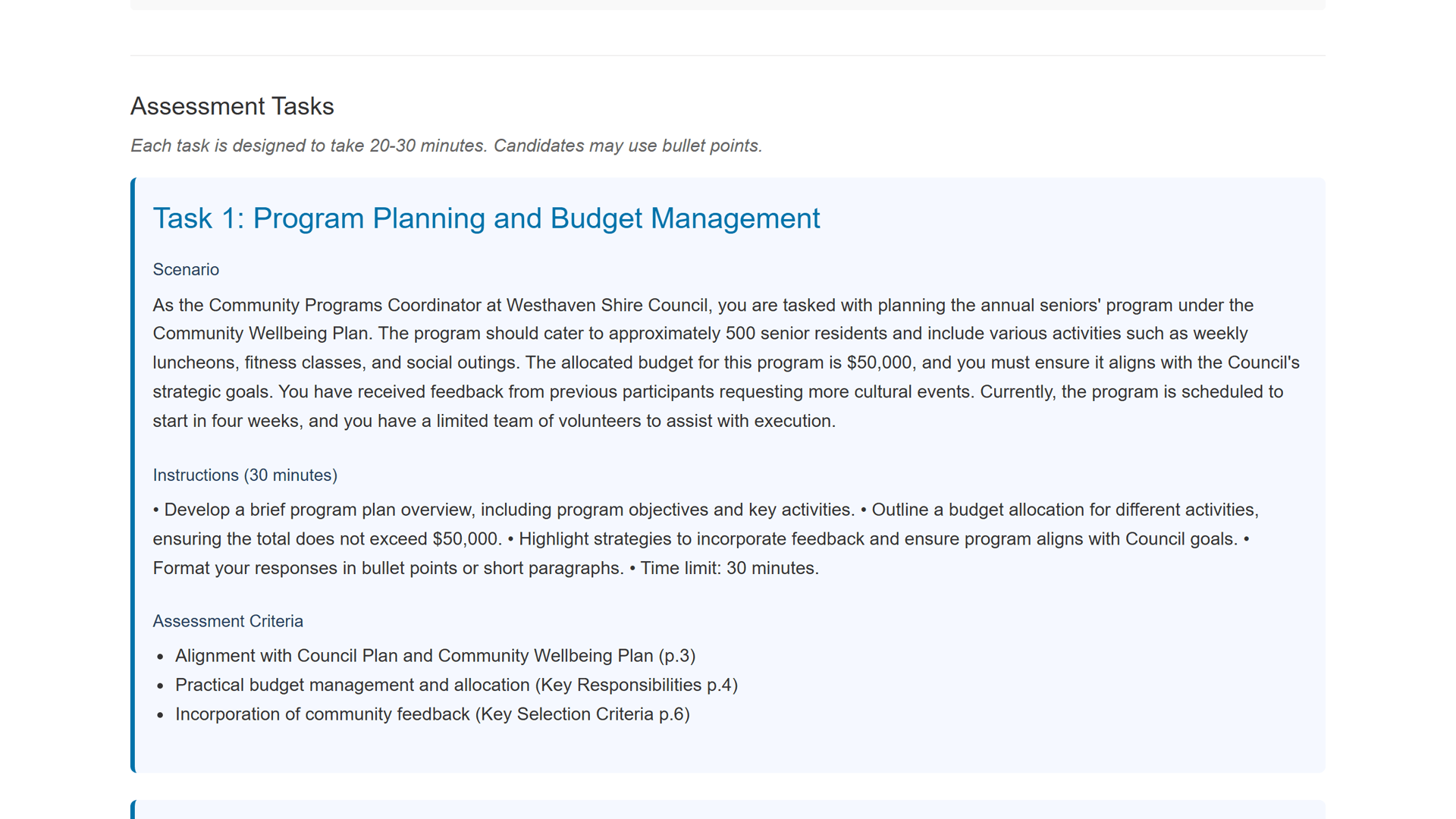
Scoring matrix and marking guide
A scoring matrix with your category weights and a marking guide round out the pack. Review and edit any of it like a Word doc, then export or copy to your clipboard.
Before you book a demo
What you get, and how fast
What goes into a full interview pack?
A full pack is 50 questions: 15 introductory, 15 behavioural and STAR-style, 10 situational, and 10 competency questions. You also get optional assessment tasks, a scoring matrix and a marking guide. The scoring matrix uses your own category weights, not an AI score.
How long does it take to generate?
About a minute for a full pack from a single position description, including the assessment tasks. That is the work that normally takes an afternoon, or the night before interviews.
What file types can I upload?
PDF and Word (.docx) position descriptions. If a Microsoft 365 'Save as PDF' will not parse cleanly, upload the .docx instead and it will read straight away.
Can I change the questions before the interview?
Yes. Copy the pack to your clipboard or export it to Word, then review and edit it like any document. Trim the questions that do not fit your panel in the Word export, and the scoring matrix carries your category weights.
Is my position description handled securely?
Yes. Your documents are handled securely and are not used to train AI models.
Stop writing questions at 11pm
Book a 20-minute walkthrough. Bring one of your own position descriptions and watch a full interview pack come out the other side.
Email support@easypds.com.au and we'd love to run one of your own PDs through the system.
Six tools. One app.
Explore the other tools
- Interview PackYou’re hereScreening questions, interview questions, a scoring matrix and a marking guide, generated from one PD.
- Job Ad GeneratorOne PD, a job ad written in the right tone for your website, LinkedIn or Seek.
- Remove JargonSwap internal acronyms and sector jargon for plain English, every change flagged to review.
- Remove Gender BiasCatch gendered phrasing and get neutral replacements, with an inclusion record to save.
- Classify / Assess PDA suggested band with criteria match, gaps and an auditable rationale, against your grading framework.
- RebandReshape a PD to a new band with a diff and a rationale mapped to your pay-band criteria.