
Reband
Make it band X. Show the trail.
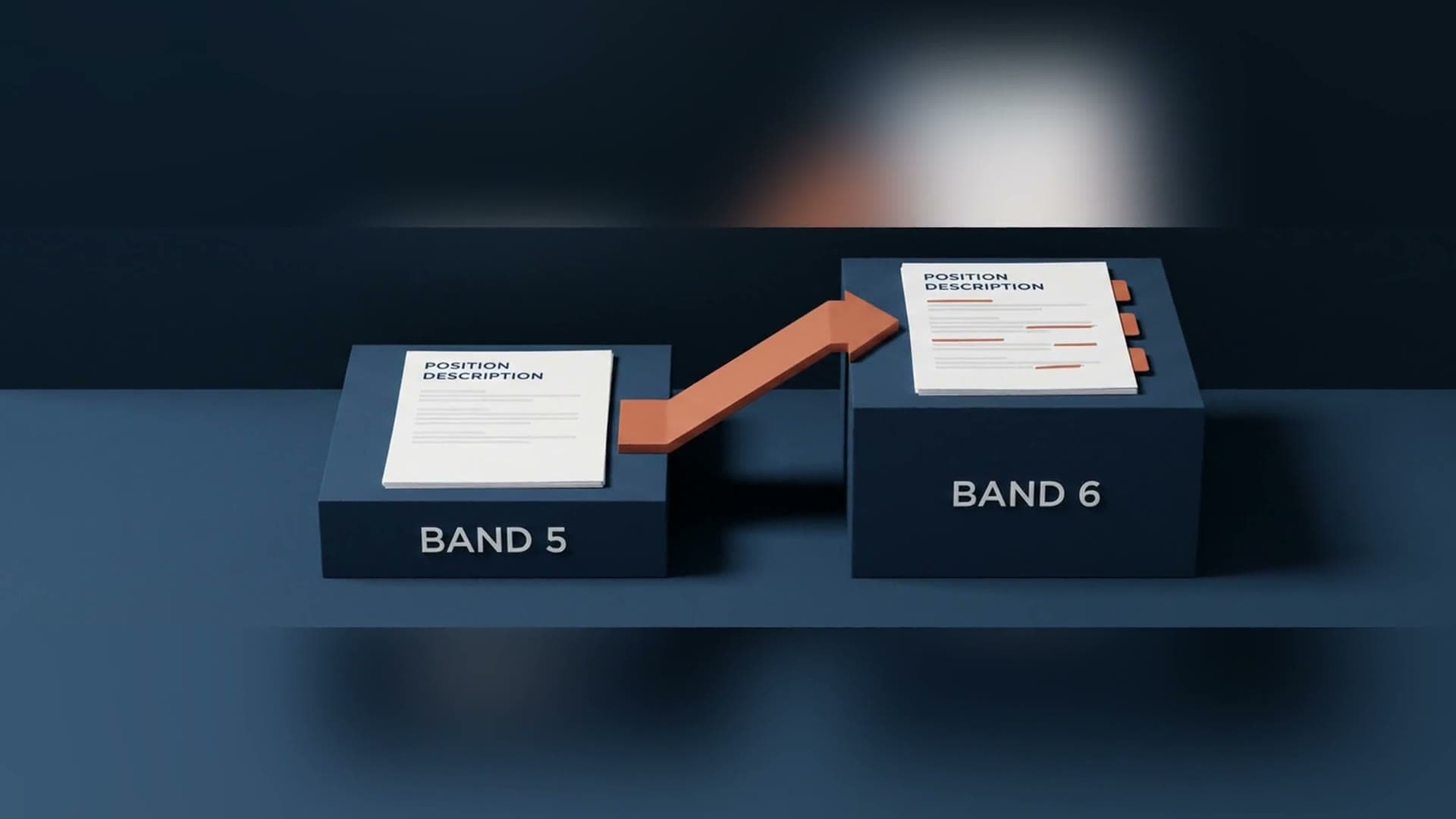
Reshape a position description (PD) to a new band, with the trail to defend it. Tell easyPDs the target band and it reshapes responsibilities, scope, and skill-level language, keeps what still applies, and shows a diff plus a rationale mapping every change to your pay bands. Reband asks: make this band X.
See it in action
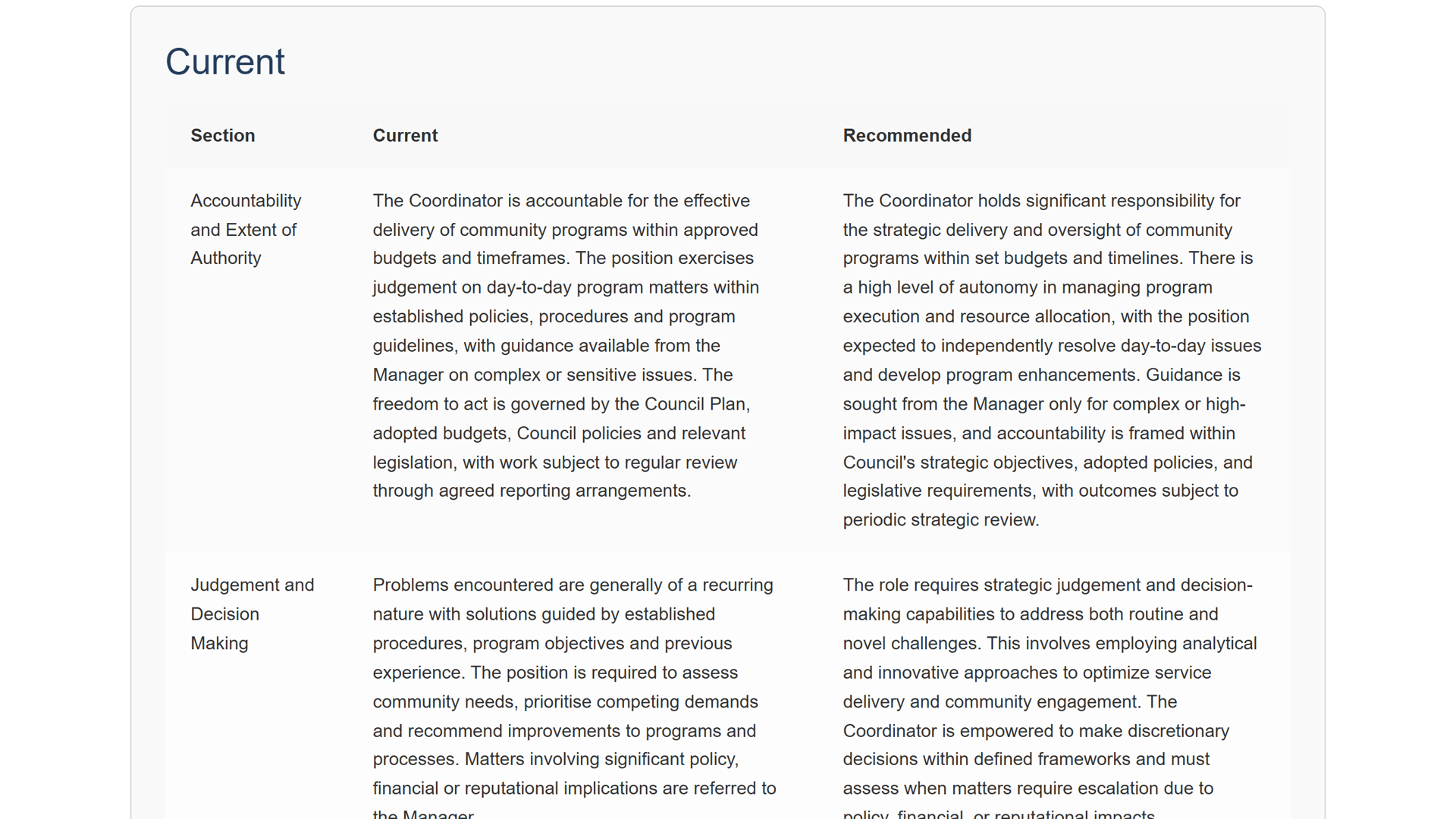
Watch a position description reshaped to a new band, with the rationale.
What comes out
Reshape a PD to a new band, with the trail to defend it.
Tell easyPDs the target band and it reshapes responsibilities, scope, and skill-level language, with a diff and a rationale mapping every change to your grading framework.
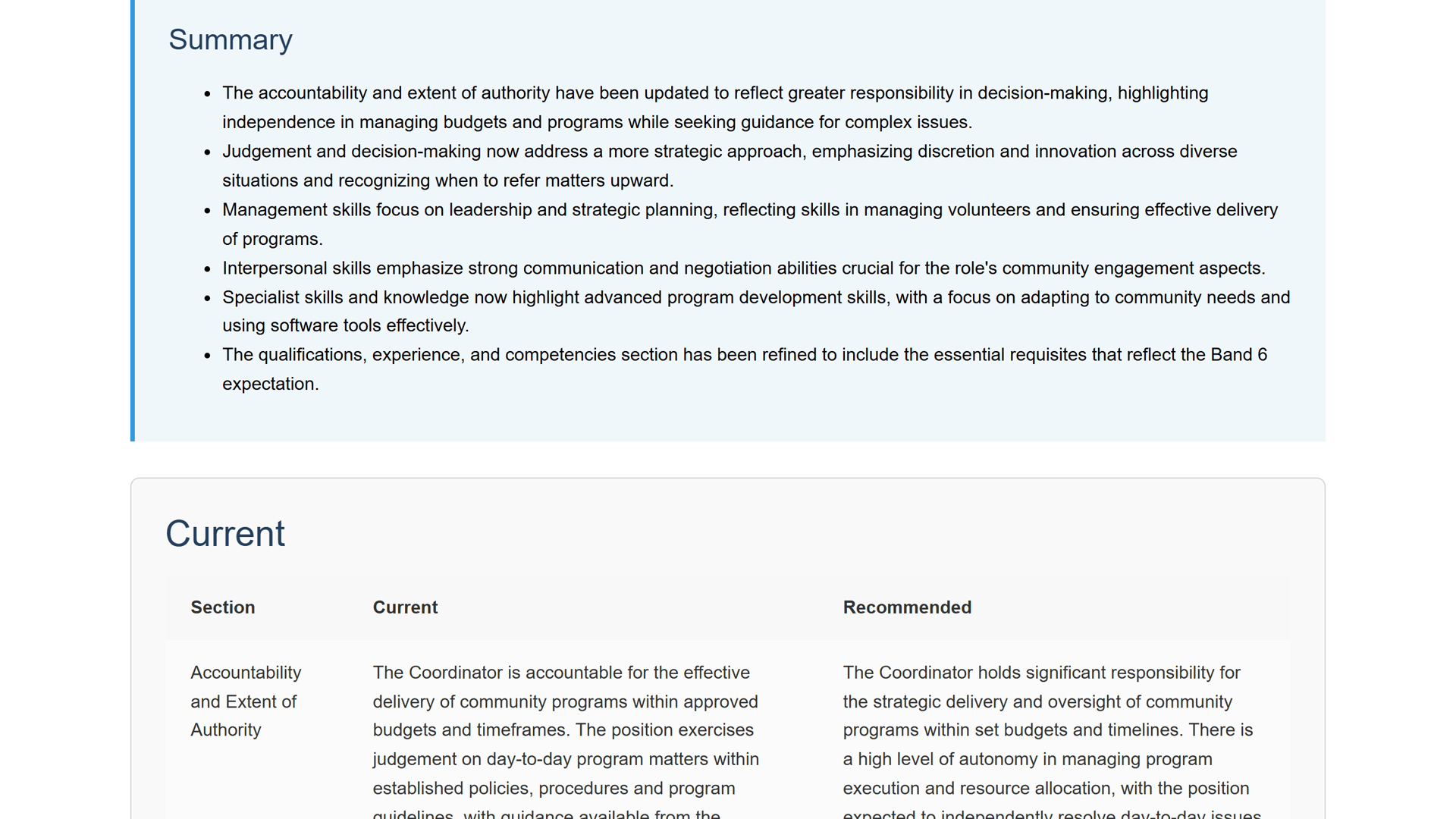
- Pay-band-mapped rationale
- Diff: kept vs rewritten
- Auditable change trail
Artefacts
- Rebanded PD
- Diff: kept vs rewritten
- Rationale mapped to your pay bands
- Auditable change trail
Role drift, handled
After a restructure, roles drift away from their PDs. Reband reshapes the PD to the target band without a blank-page rewrite.
See exactly what changed
A diff view shows kept versus rewritten, side by side, so you can review the reshape in minutes instead of re-reading the whole document.
Every change mapped to your pay bands
The rationale panel maps each change to your grading framework, giving you an auditable trail of what changed and why.
The record if the band is challenged
If an employee, a union, or a pay dispute challenges the band, you have the documented reasoning ready.
“products made by people that have actually kind of been in those positions are usually really practical”
Melanie Roberts
Organisational Transformation Officer, Ararat Rural City Council

How it works
In less than a few clicks, you have your output!
Drop in your PD
Upload your position description as a PDF or Word (.docx) file. Your pay-band criteria are already set up from the one-time setup.

Choose the band you need
Tell easyPDs the band the role should be in one field, then submit.

Read what changed, and why
A summary explains how the responsibilities, scope, and skill-level language were reshaped to match the band you asked for.
See the reshape
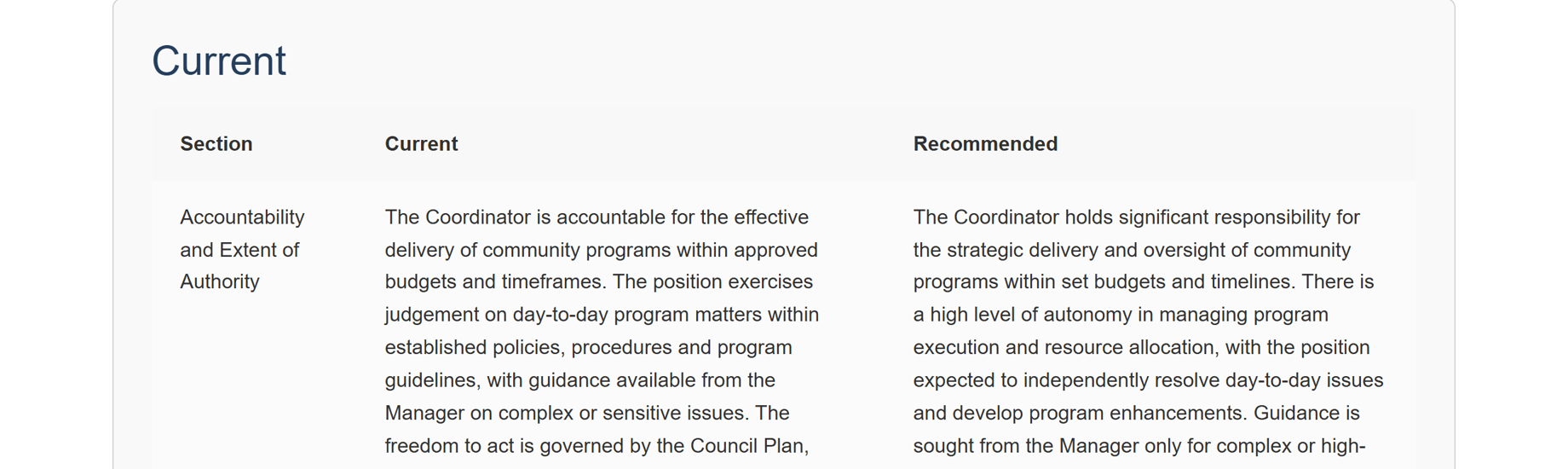
easyPDs shows the current and recommended wording side by side for every section, so you can review the reshape in minutes.
Review and export
Review and edit the rebanded PD like any Word document, then copy it, save it to Word, or email it.

Questions, answered
Reshaping a band, answered
What is the difference between Reband and Classify?
Classify asks 'what band is this?' and suggests a band for an existing PD. Reband asks 'make this band X': you set a target band and it reshapes the responsibilities, scope, and skill-level language to match.
How do I see what changed?
A diff shows kept versus rewritten side by side, and a rationale panel maps each change to your pay bands, so you have an auditable trail of what changed and why.
Can I hold on to the reasoning for later?
Yes. Copy the rebanded PD and its change trail to clipboard or export to Word, so you have the documented reasoning ready if an employee, a union, or a pay dispute challenges the band.
Do I need to set up my criteria again for Reband?
No. Reband uses the same pay-band criteria you pasted once at setup. Upload a PDF or Word (.docx) PD, set the target band, and submit.
Is my position description handled securely?
Yes. Your documents are handled securely and are not used to train AI models.
Reshape it. Defend it.
Book a 20-minute walkthrough. We'll set it up against your real classification framework so you can see it work on your PDs.
Email support@easypds.com.au and we'd love to run one of your own PDs through the system.
Six tools. One app.
Explore the other tools
- Interview PackScreening questions, interview questions, a scoring matrix and a marking guide, generated from one PD.
- Job Ad GeneratorOne PD, a job ad written in the right tone for your website, LinkedIn or Seek.
- Remove JargonSwap internal acronyms and sector jargon for plain English, every change flagged to review.
- Remove Gender BiasCatch gendered phrasing and get neutral replacements, with an inclusion record to save.
- Classify / Assess PDA suggested band with criteria match, gaps and an auditable rationale, against your grading framework.
- RebandYou’re hereReshape a PD to a new band with a diff and a rationale mapped to your pay-band criteria.