
Job Ad Generator
Rewriting the same role four ways?
One position description (PD). A job ad for every channel. Pick your website, LinkedIn, a LinkedIn teaser, or Seek and get an ad written in that channel's tone in seconds. We handle the structure. You bring the creativity.
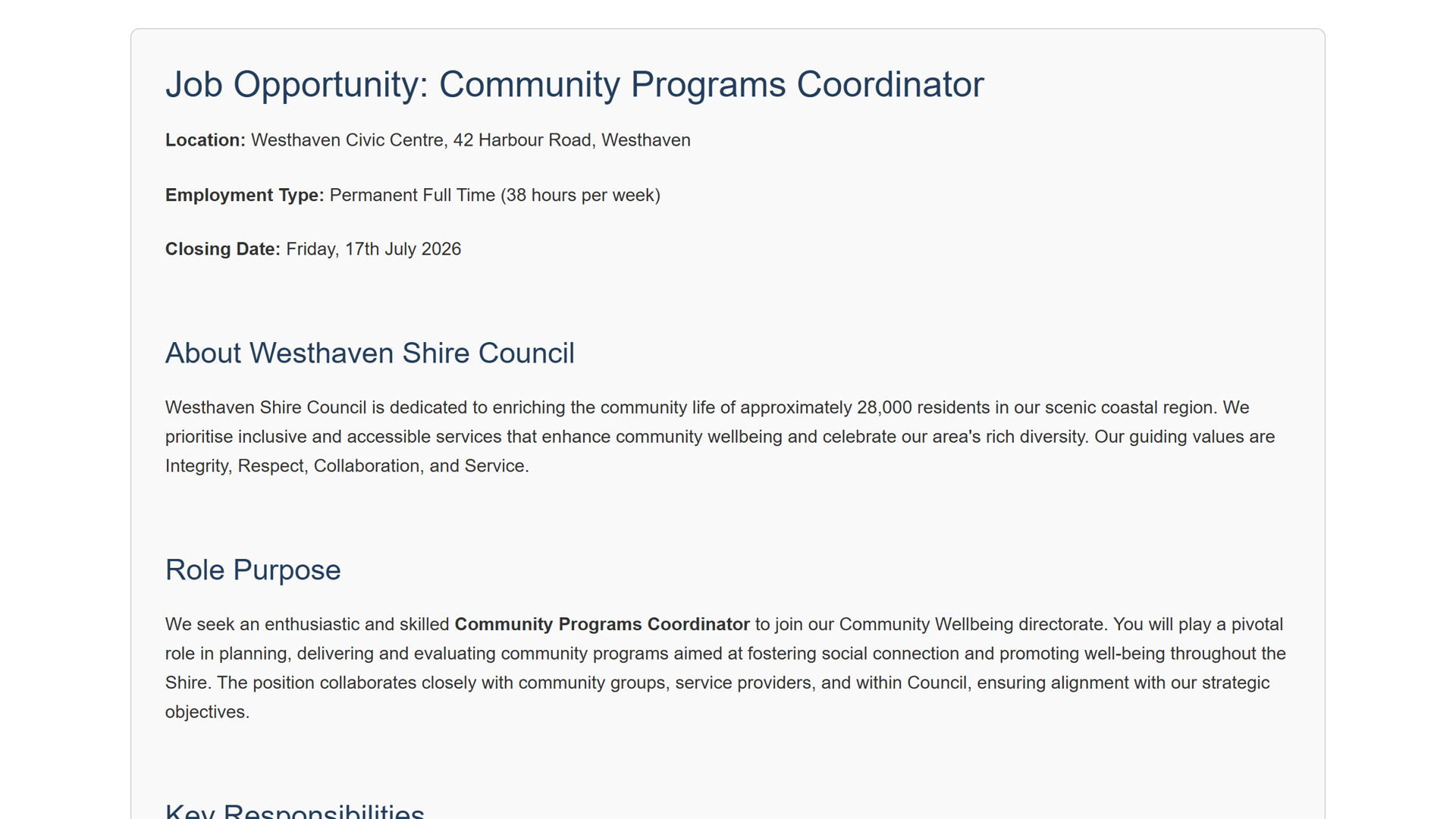
See it in action
Watch one position description become a channel-ready job ad.
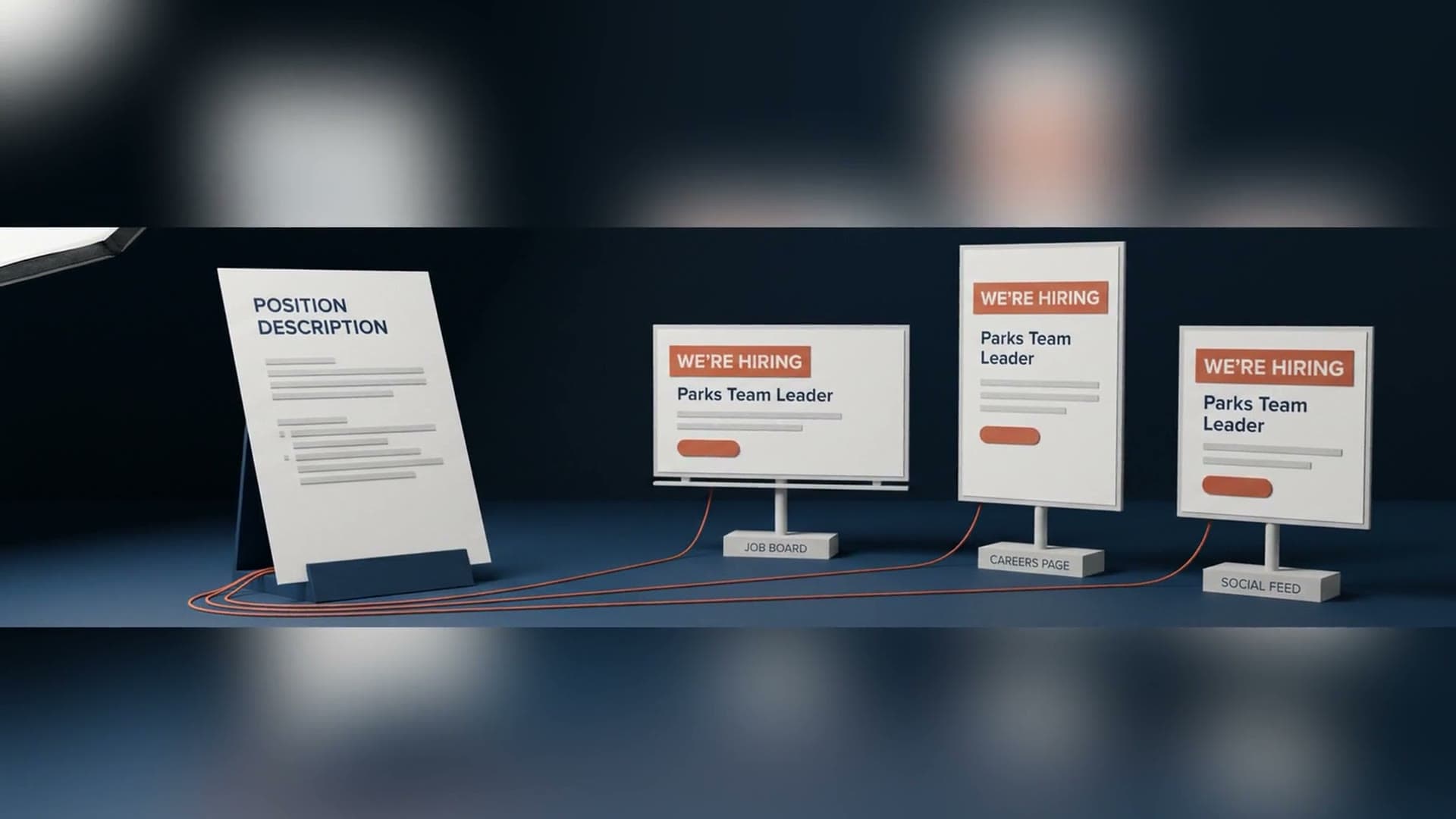
What comes out
One PD. A job ad for every channel.
Pick the channel, your website, LinkedIn, a LinkedIn teaser, or Seek, and get an ad written in that channel's tone in seconds.
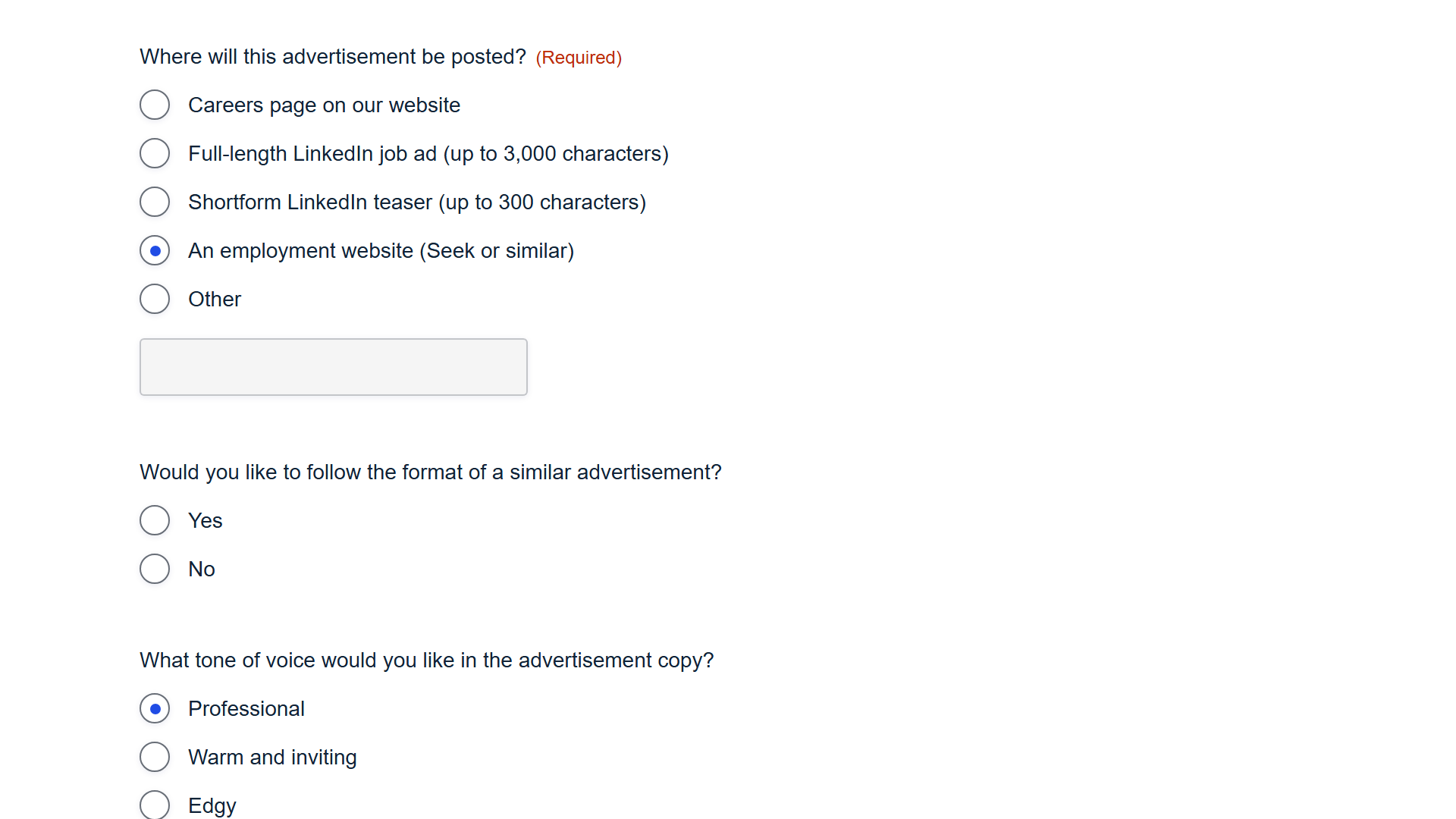
- Your website
- LinkedIn teaser
- Seek
Artefacts
- Website ad
- LinkedIn ad
- LinkedIn teaser
- Seek ad
Stop rewriting until the words blur
The same role, four different ways, by hand, is how good ads go stale. easyPDs writes each version from the PD so you start at 90 percent done.
The right tone for each platform
A Seek ad is not a LinkedIn teaser. Each channel gets structure and tone that fits where it will be read.
Your time goes to the hook
With the structure handled, your energy goes to the creative line that filters for the right applicant, the part only you can write.
Fewer copy-paste mistakes
Generating per channel, rather than pasting and patching, avoids the formatting and platform-terms slip-ups that creep in at 5pm.
“a real time saver”
Melanie Roberts
Organisational Transformation Officer, Ararat Rural City Council
How it works
In less than a few clicks, you have your output!
Drop in your position description
Attach the PDF or Word (.docx) position description and easyPDs reads the role details straight from it. No retyping.
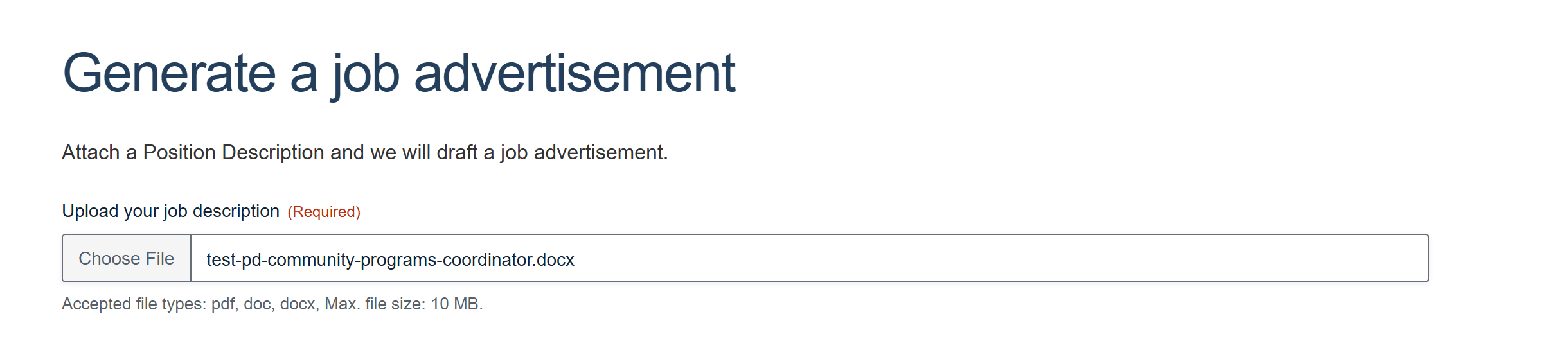
Pick the channel and tone
Choose where the ad will run - your website, a full-length LinkedIn ad, a short LinkedIn teaser, or Seek - and set the tone of voice you want.
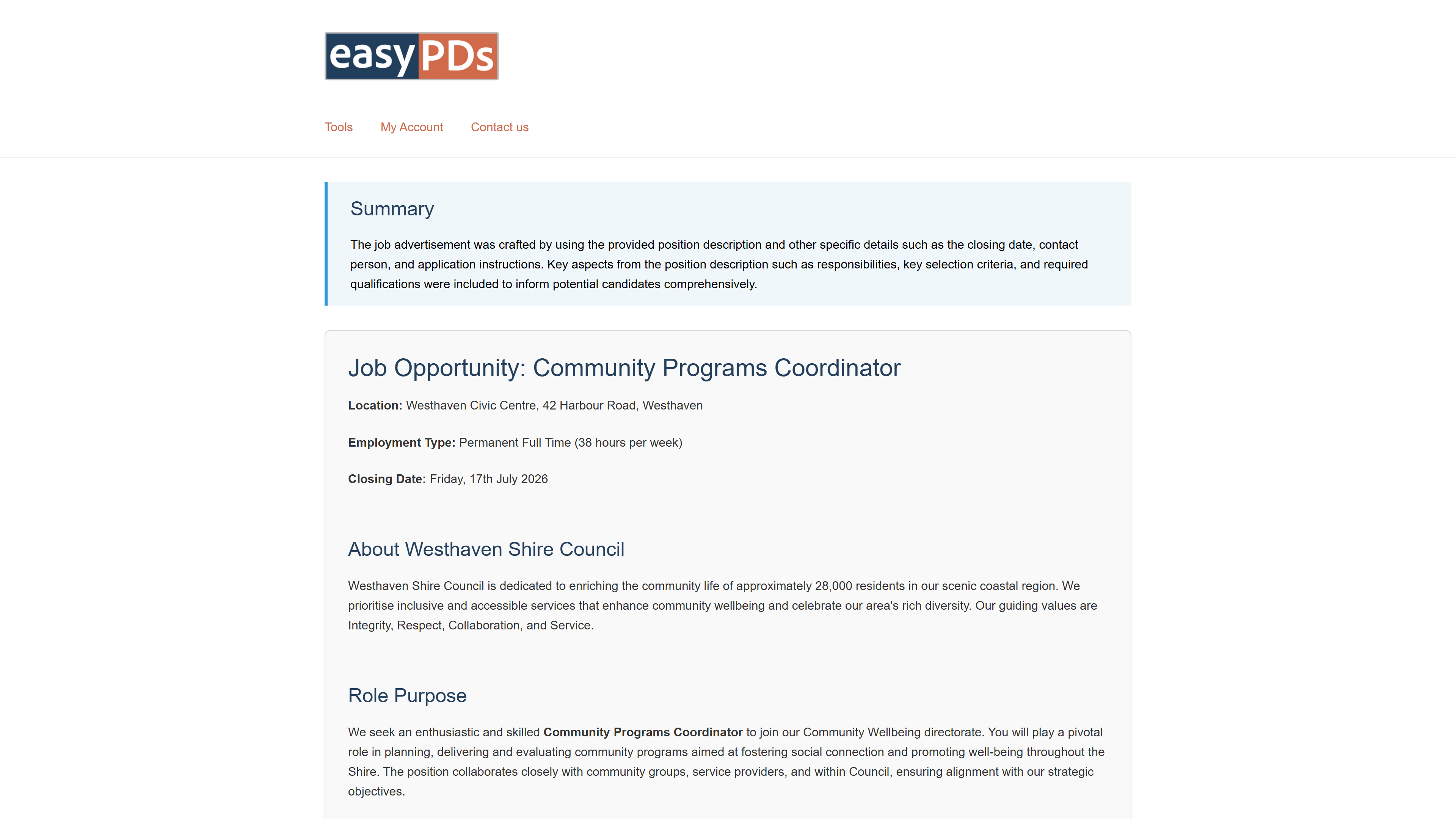
Your ad appears in seconds
easyPDs drafts the ad for that channel at the right length and tone, with a summary and the full role, location, and closing date pulled straight from the PD.
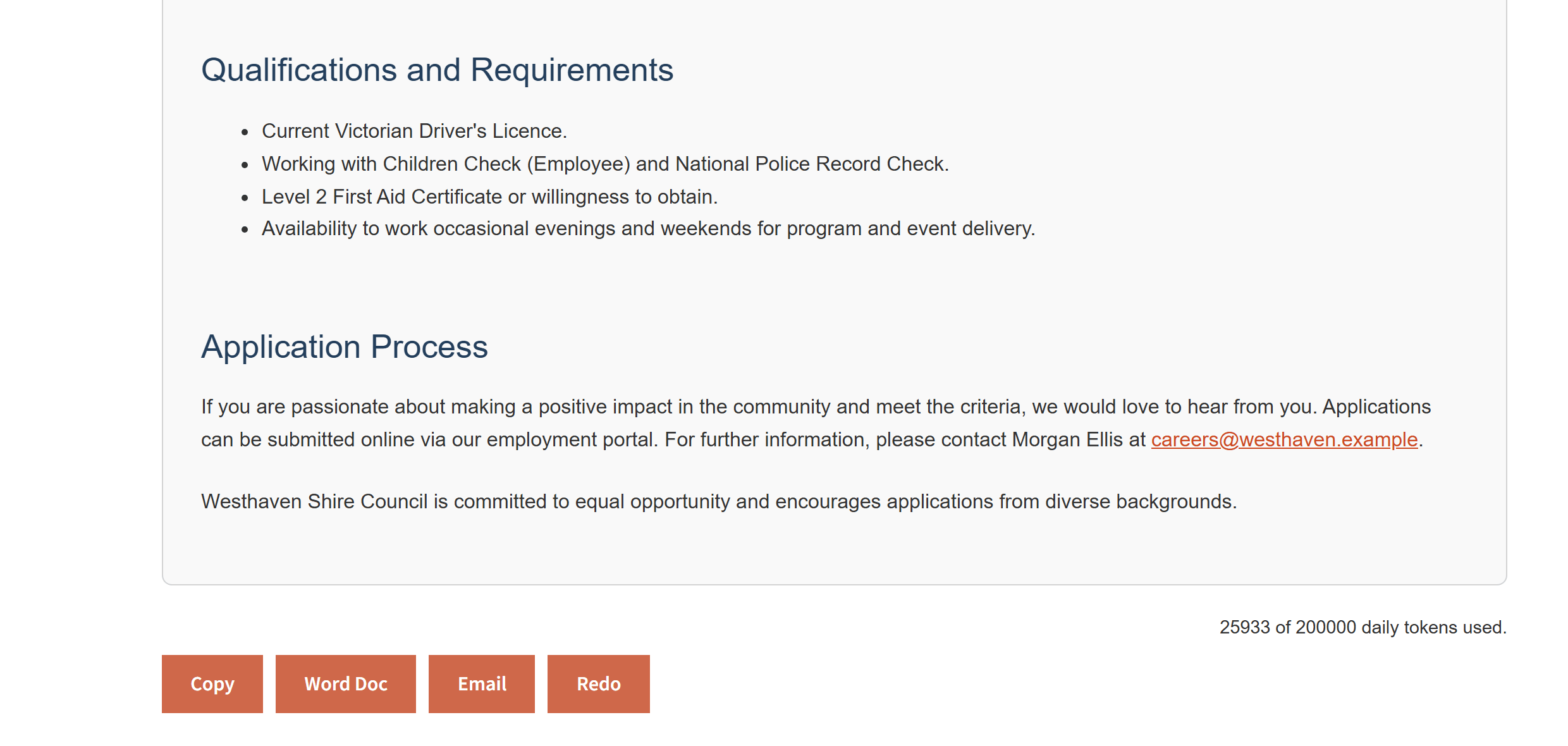
Review and export
Read it over and edit it like a Word doc, then copy it to your clipboard or export to Word - ready to post.
Questions, answered
One PD, every channel, answered
Which channels can it write for?
Your careers page, a full-length LinkedIn ad, a short LinkedIn teaser, and Seek. Each one is written in the structure and tone that channel expects, from the same position description.
Do I still get to shape the ad?
Yes. The structured ad arrives most of the way there, so your time goes to the opening hook that filters for the right applicant. Copy it to your clipboard or export to Word and edit it freely before it goes live.
What do I need to upload?
A PDF or Word (.docx) position description. The role details come along with it. If a Microsoft 365 'Save as PDF' will not parse, upload the .docx version instead.
Can I generate more than one channel from the same PD?
Yes. Generate one channel, then pick the next; the Seek version is another few seconds, not another rewrite. Each version is yours to review and edit before you post it.
Is my position description handled securely?
Yes. Your documents are handled securely and are not used to train AI models.
One PD. Every channel.
Book a 20-minute walkthrough. Bring a live role and watch it write your next ad for your website, LinkedIn and Seek.
Email support@easypds.com.au and we'd love to run one of your own PDs through the system.
Six tools. One app.
Explore the other tools
- Interview PackScreening questions, interview questions, a scoring matrix and a marking guide, generated from one PD.
- Job Ad GeneratorYou’re hereOne PD, a job ad written in the right tone for your website, LinkedIn or Seek.
- Remove JargonSwap internal acronyms and sector jargon for plain English, every change flagged to review.
- Remove Gender BiasCatch gendered phrasing and get neutral replacements, with an inclusion record to save.
- Classify / Assess PDA suggested band with criteria match, gaps and an auditable rationale, against your grading framework.
- RebandReshape a PD to a new band with a diff and a rationale mapped to your pay-band criteria.